About this template
Every January the envelopes and emails start arriving — W-2s, 1099s, the mortgage statement — and every April the same question: do I actually have everything? This organizer is a permanent home for that paper trail. The 2026 tax-year documents are already listed for you. As each one arrives, mark it received, note where you filed it, and watch your completeness score climb. When you file, log the result — refund or payment, federal and state — and the Dashboard keeps your score by year.
What's inside
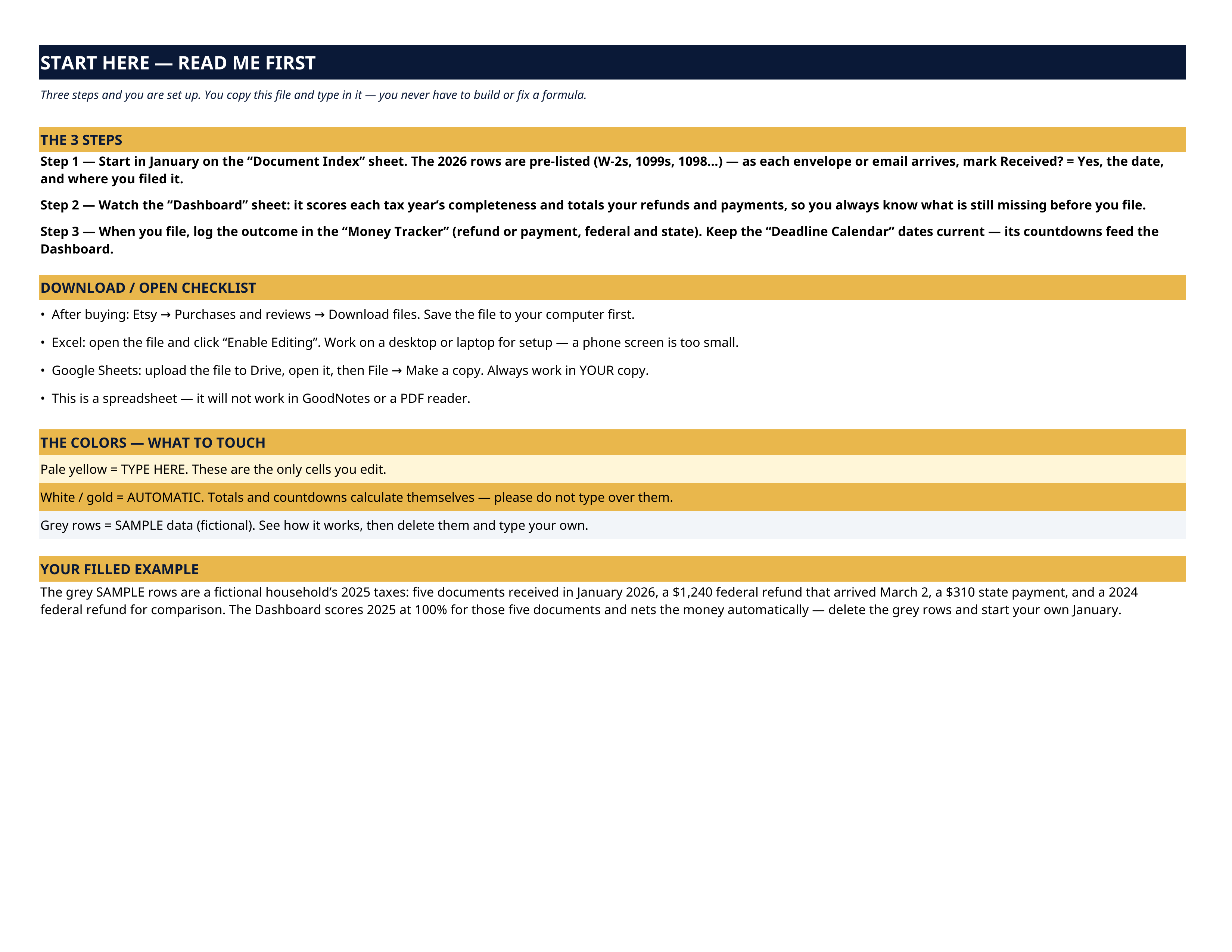
- Start Here — the 3 steps, a download/open checklist for Etsy, Excel and Google Sheets, the color guide, and a walk-through of the filled example.
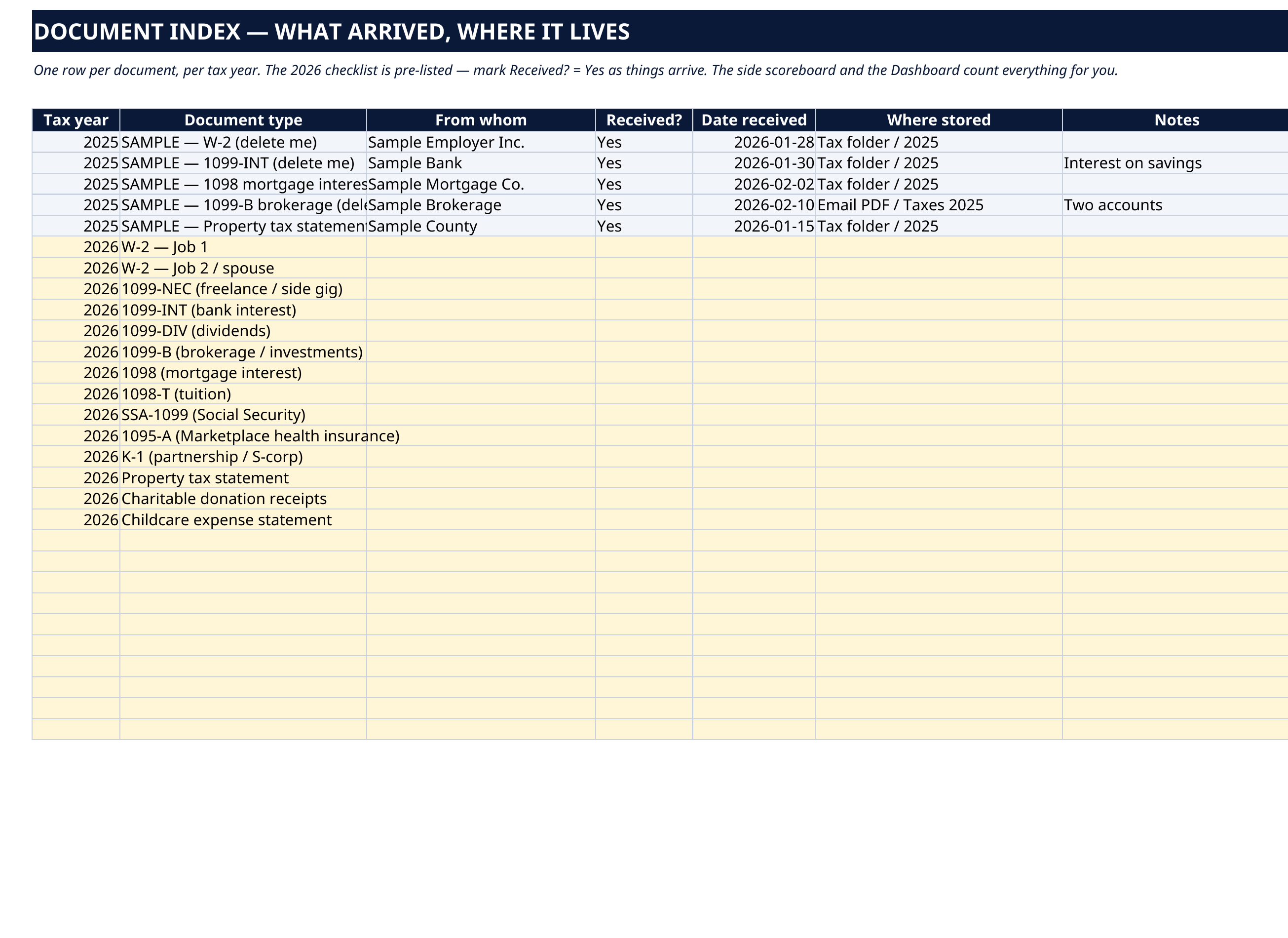
- Document Index — one row per document, per tax year. The 2026 checklist is pre-listed: two W-2s, 1099-NEC, 1099-INT, 1099-DIV, 1099-B, 1098 mortgage interest, 1098-T, SSA-1099, 1095-A, K-1, property tax statement, charitable donation receipts and childcare statement — who it comes from, Received?, the date, where you stored it, and notes.
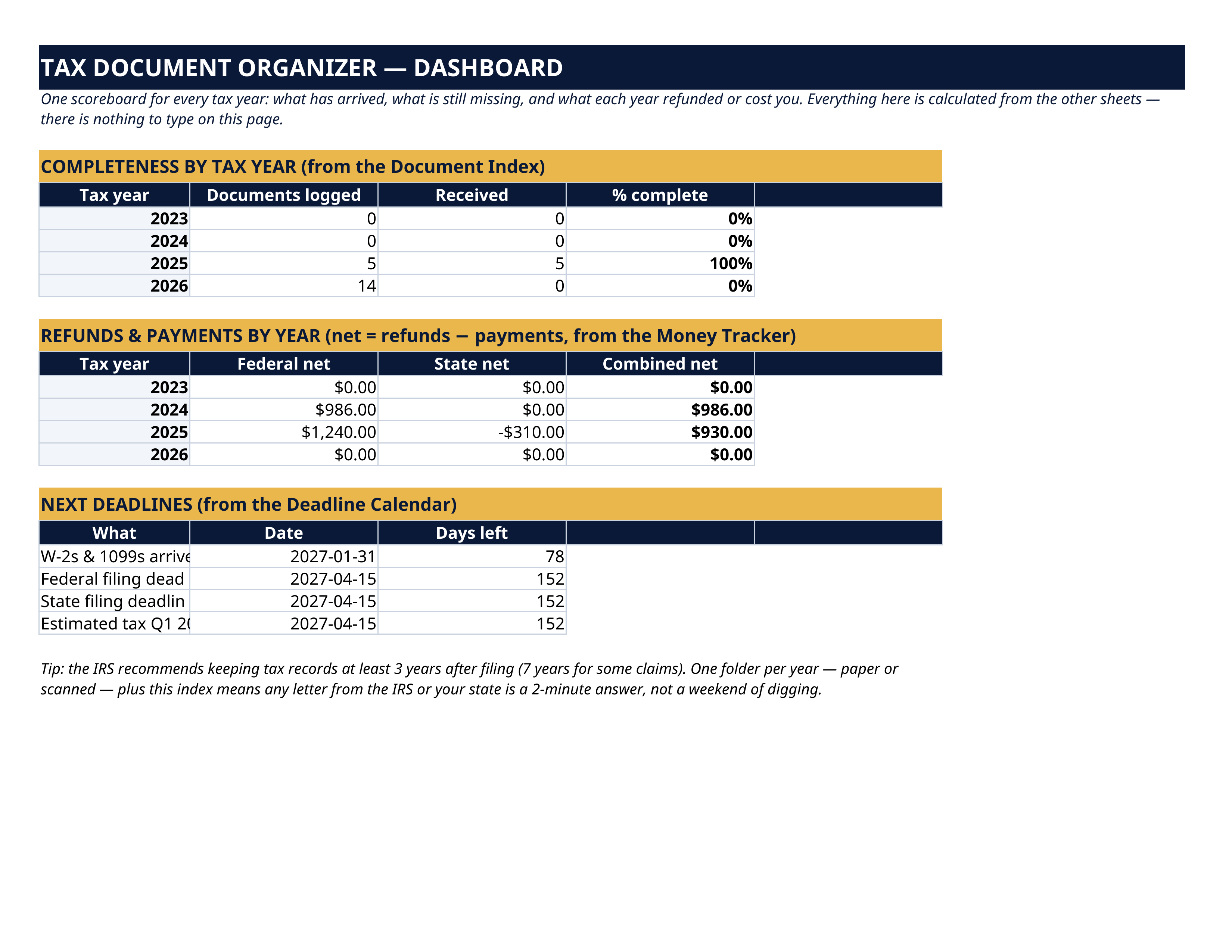
- Dashboard — nothing to type here; it calculates everything. Completeness by tax year, refunds and payments netted by year — federal, state and combined — and your next deadlines with the days left.
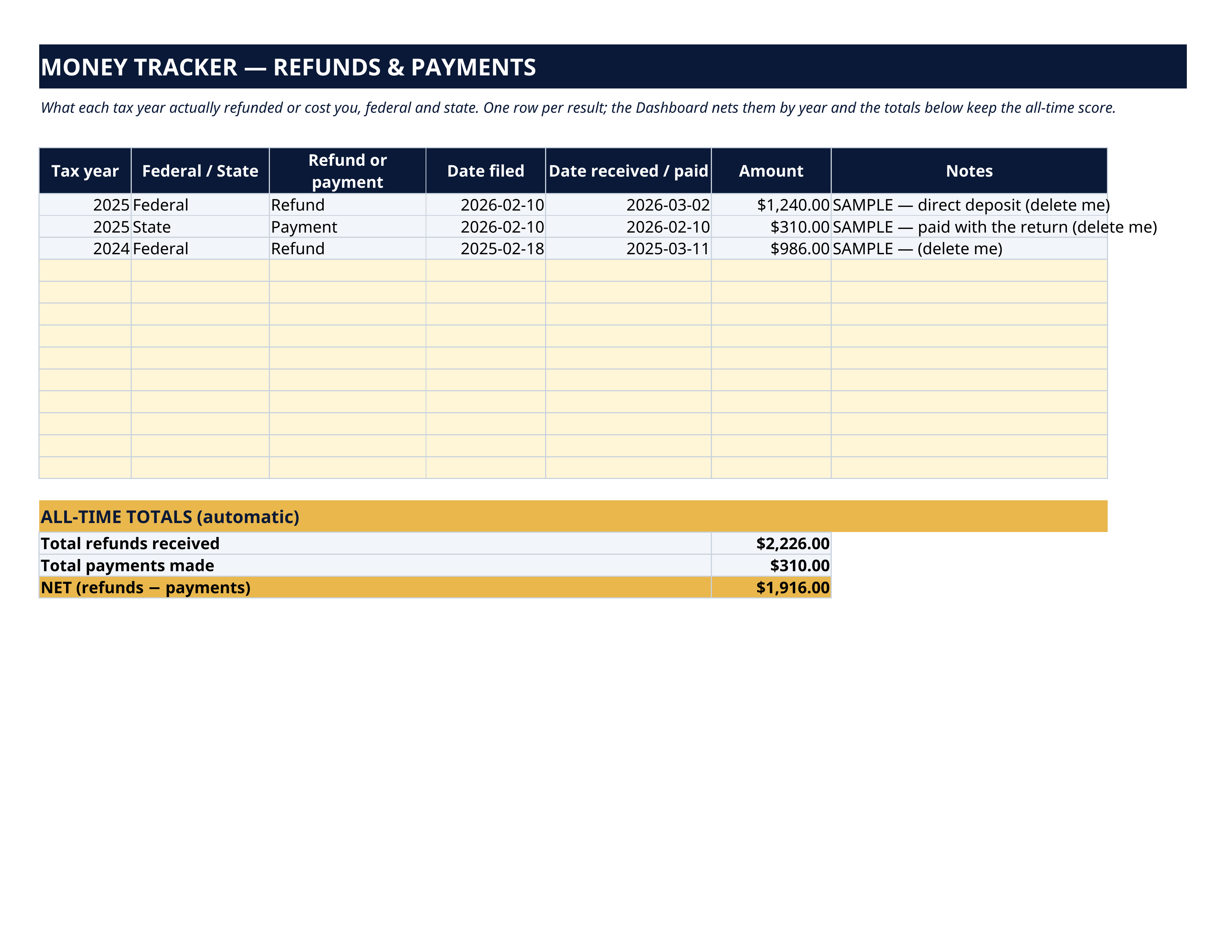
- Money Tracker — one row per result: tax year, federal or state, refund or payment, date filed, date received or paid, amount. All-time totals keep the running score.
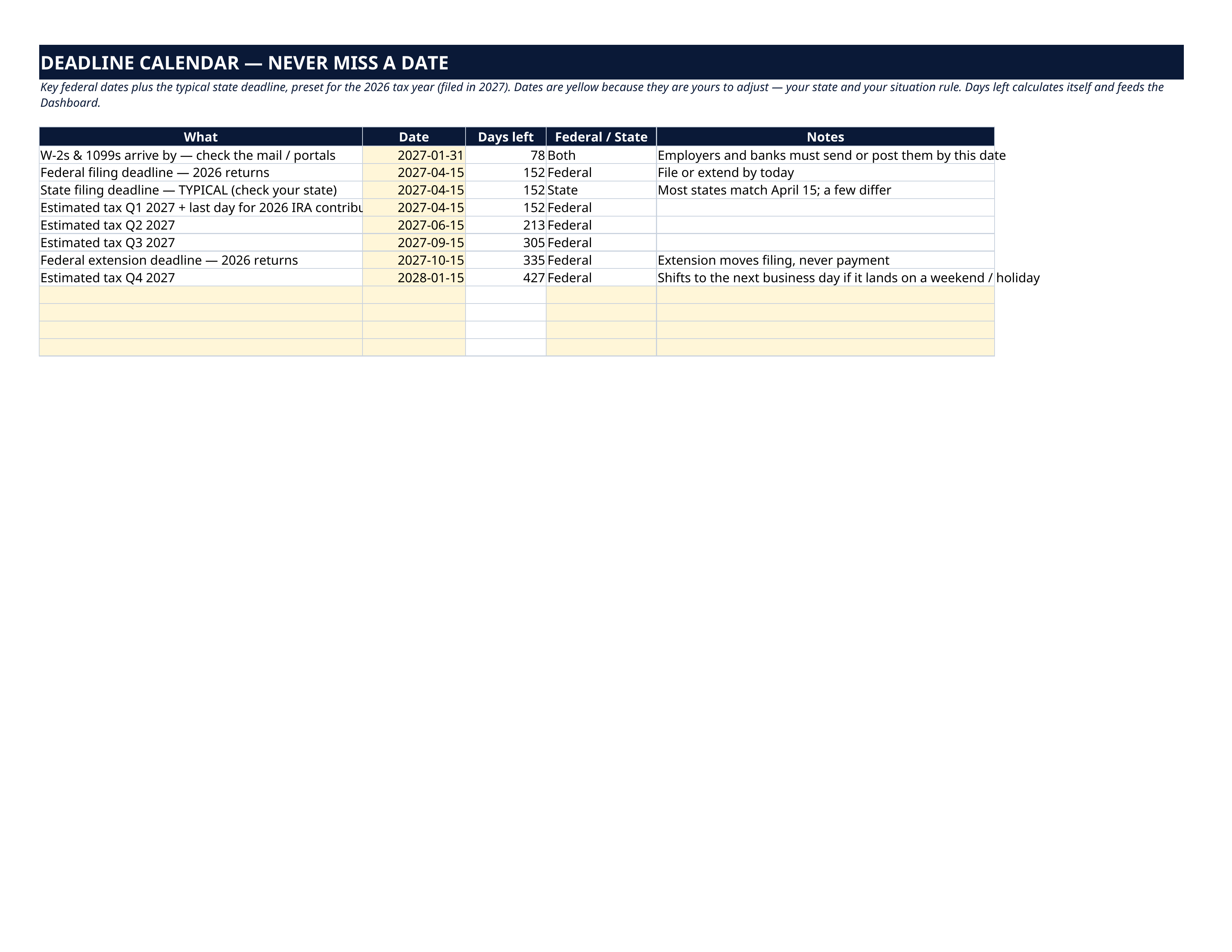
- Deadline Calendar — preset for the 2026 tax year, filed in 2027: documents arrive by January 31, the April 15 filing deadlines, the four estimated-tax dates, the IRA contribution cut-off and the October extension deadline — each with an automatic days-left countdown. The dates sit in yellow cells because they are yours to adjust.
How it works — 3 steps
- Start in January on the Document Index. The 2026 rows are pre-listed — as each envelope or email arrives, mark Received? = Yes, the date, and where you filed it.
- Watch the Dashboard: it scores each tax year's completeness and totals your refunds and payments, so you always know what is still missing before you file.
- When you file, log the outcome in the Money Tracker, and keep the Deadline Calendar's dates current — its countdowns feed the Dashboard.
You never build or fix a formula. Type only in the pale-yellow cells — the formula cells are protected (no password) so the math can't be broken by accident. Fictional SAMPLE rows, clearly marked, show you the format; delete them and the file is yours.
What you need
Microsoft Excel, or Google Sheets (free with a Google account). One file works in both. A desktop or laptop is best for setup. This is a spreadsheet — it will not work in GoodNotes, Notability or a PDF reader.
Instant download
This is a digital download — no physical item will be shipped. After purchase, go to Etsy → Purchases and reviews → Download files, save the file to your computer first, then open it in Excel (click “Enable Editing”) or upload it to Google Drive for Sheets (then File → Make a copy, and always work in your copy).
License
Personal use only — for your own household. Please do not share, resell or redistribute the file.
Questions
Does it work in Google Sheets as well as Excel?
Yes — the same .xlsx file works in both. Upload it to Google Drive, open it, then choose File → Make a copy and work in your copy.
Which tax years does it cover?
The Dashboard scores 2023–2026 out of the box, the document list is pre-filled for the 2026 tax year (filed in 2027), and the index has 60 rows — add a row per document per year and the same file serves you for years.
My state doesn't file on April 15. Can I change the deadline?
Yes — every date on the Deadline Calendar is a yellow, editable cell, and the countdowns and the Dashboard update with it.
Does it calculate my taxes or fill in my return?
No. It's an organizer: documents, deadlines and results. Pair it with your usual tax software or accountant.
What are the grey SAMPLE rows?
A fictional household's 2025 taxes, included so you can see exactly how the file works before you start. Delete them when you're ready.